From craving to satisfaction.
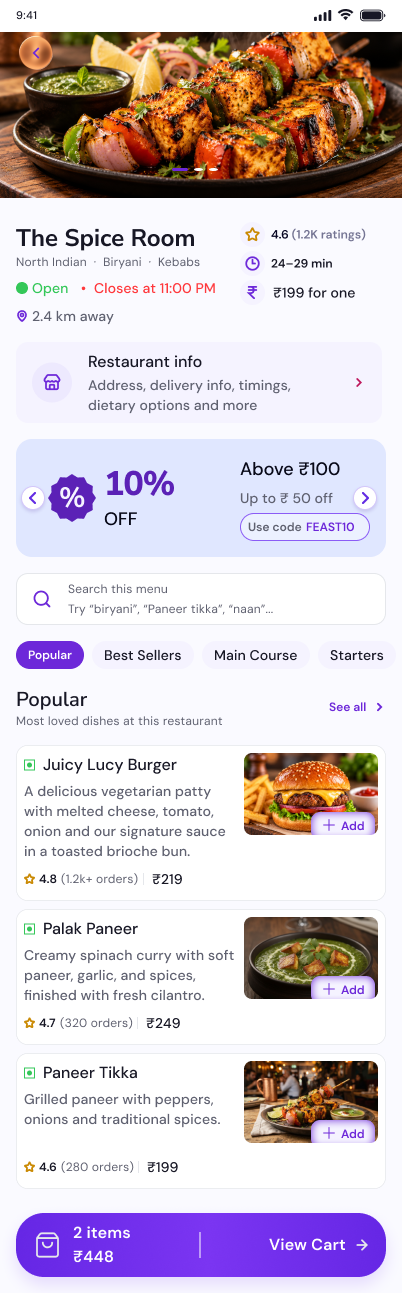
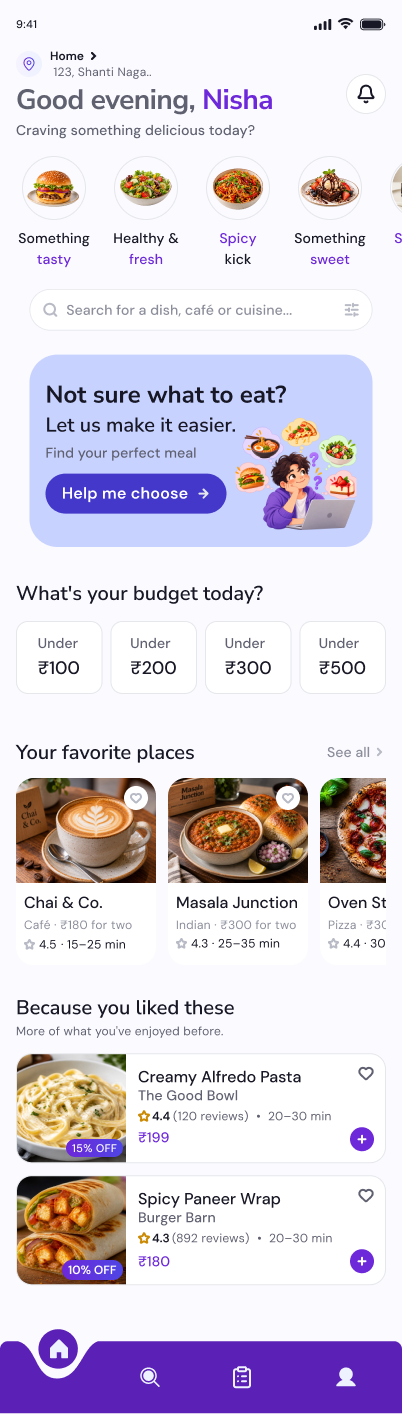
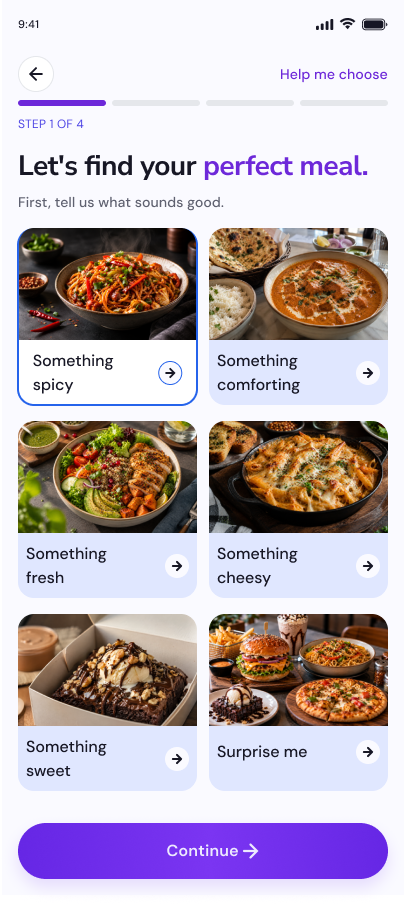
Finding good food shouldn't feel overwhelming.
Too many choices
Endless restaurant and food listings can make it difficult to decide what to eat, increasing decision fatigue.
Hard to find the right fit
Users need to balance cravings, budget, food preferences, and delivery time when comparing options.
Disconnected ordering decisions
Users need clear information about dishes, customization, prices, and checkout to order with confidence.
From endless scrolling to effortless dining.
Too many choices, too much scrolling
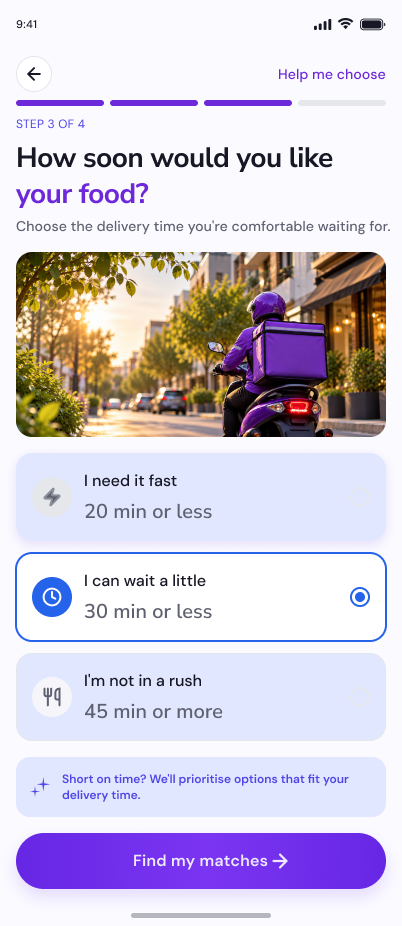
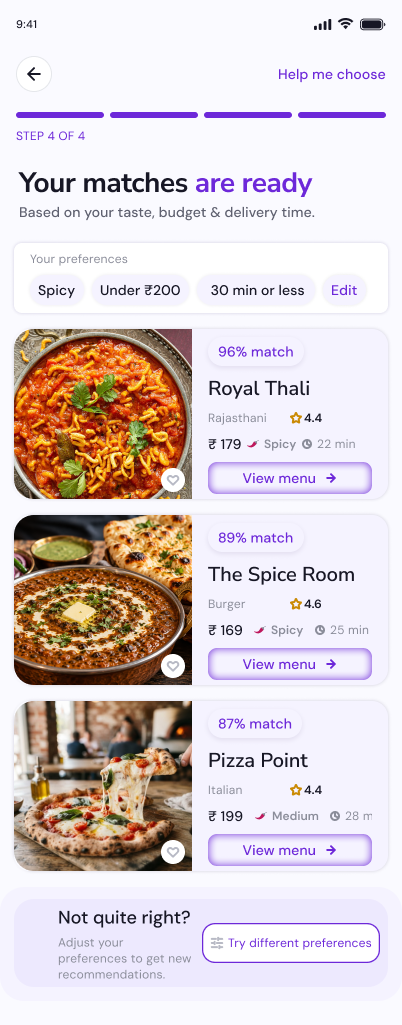
Large collections of restaurants and dishes can make it difficult for users to decide what to eat, especially when they already have a specific craving or budget in mind.
Introduce Help Me Choose, a guided discovery flow that narrows down food options based on the user's craving, budget, and available time. Keep broader restaurant browsing available for users who prefer exploring independently.
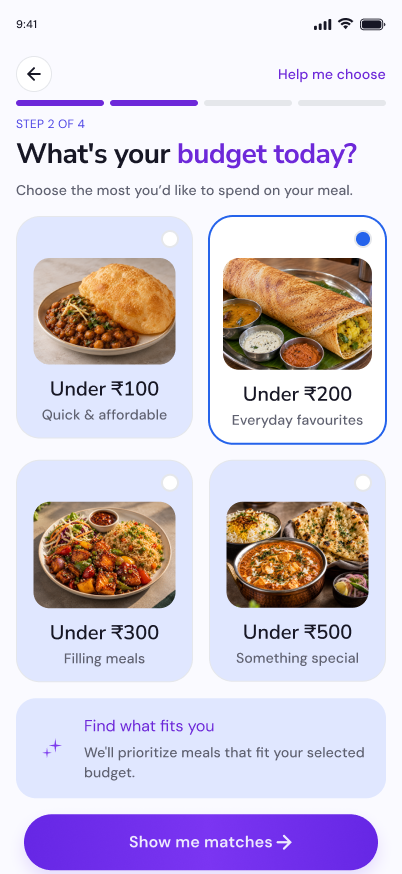
Finding food that fits the budget
Users need to balance what they want to eat with how much they want to spend. Comparing prices across numerous restaurants can make the decision more complicated.
Introduce Budget Discovery, with clear spending categories such as Under ₹100, Under ₹200, and Under ₹300. Help users explore relevant food options within their preferred price range before proceeding to checkout.
Unclear food choices and customization
Users need to understand what they are ordering and which customization options are available before committing to a meal. Poorly organized details can make choosing and personalizing a dish more difficult.
Design a clear dish details and customization experience that organizes food information, available options, quantity controls, add-ons, and special instructions into an easy-to-follow layout.
A disconnected journey from selection to delivery
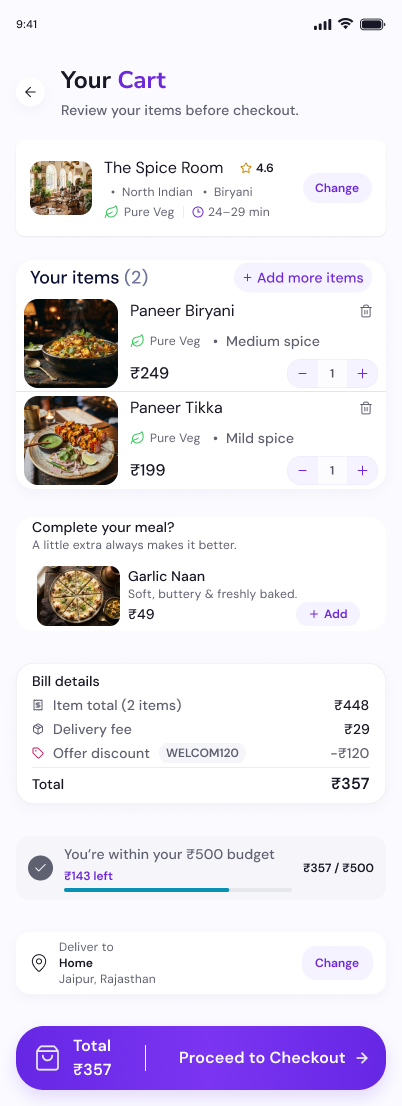
Choosing a dish is only one part of ordering food. Users also need to review their selections, manage quantities, confirm delivery details, and understand what happens after placing an order.
Create a connected ordering and delivery journey, linking restaurant selection, food customization, cart review, checkout, order confirmation, and delivery tracking. Keep important details visible and provide clear feedback at each step.
From understanding to effortless ordering.
Discover & Define
Identify the key challenges in food discovery, decision-making, budget awareness, and ordering. Define the core goal: help users find suitable food with less effort.
Structure & Design
Organize the information architecture, map user journeys, and design wireframes for discovery, restaurant details, customization, and checkout.
Visualize & Refine
Apply the MyFeast design system, create high-fidelity mobile screens, and connect the key interactions into a cohesive ordering experience.
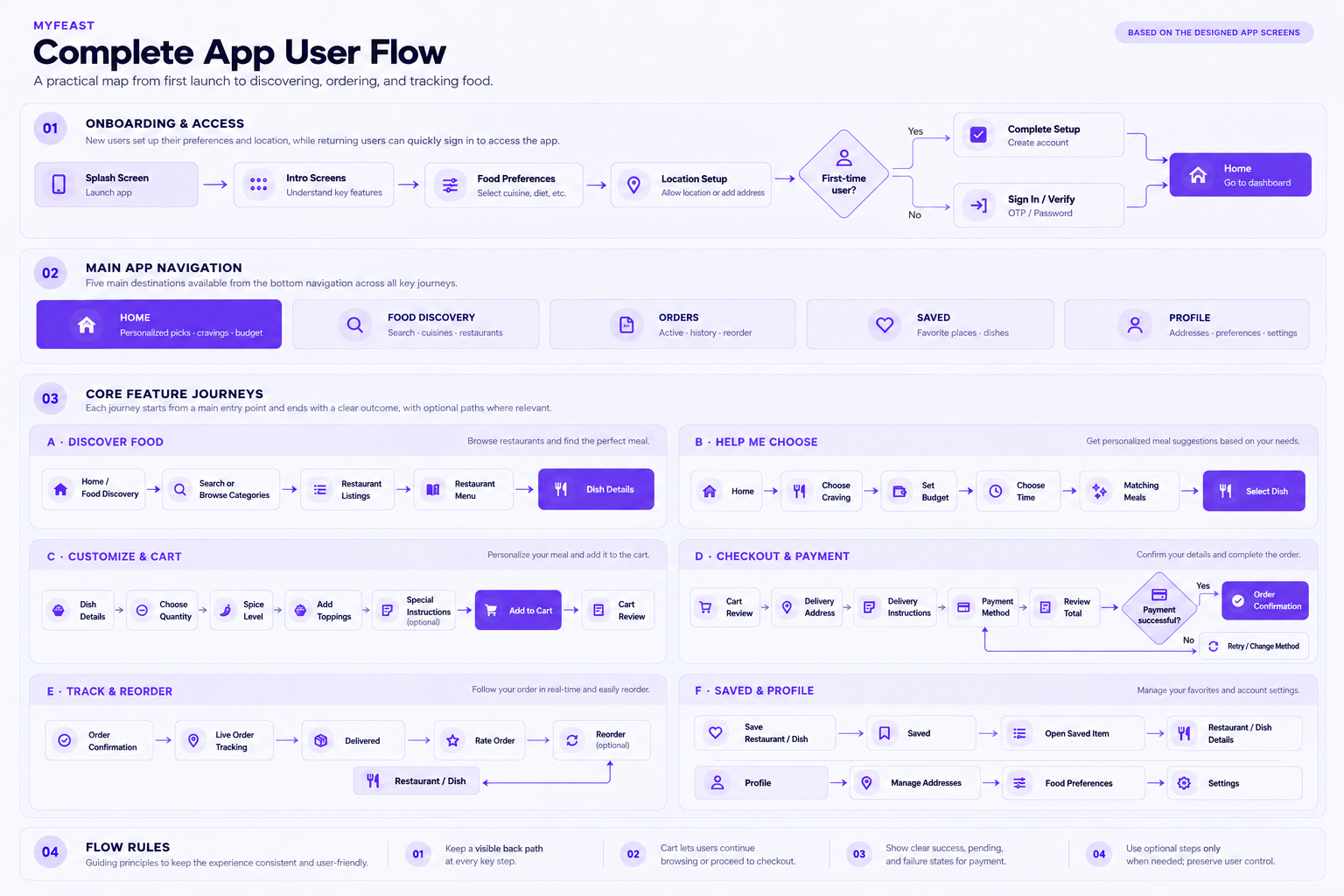
UX intent: A practical map from first launch to discovering, ordering, and tracking food. Designed to keep every step intuitive, provide a visible return path, and eliminate decision fatigue.
Typography
Aa
Nunito SansAa
DM SansFriendly, rounded, and approachable forms create a welcoming brand personality while keeping headings clear and confident. Clean, readable letterforms support comfortable scanning of descriptions, prices, labels, and interface controls.
Colors
From structure to experience.
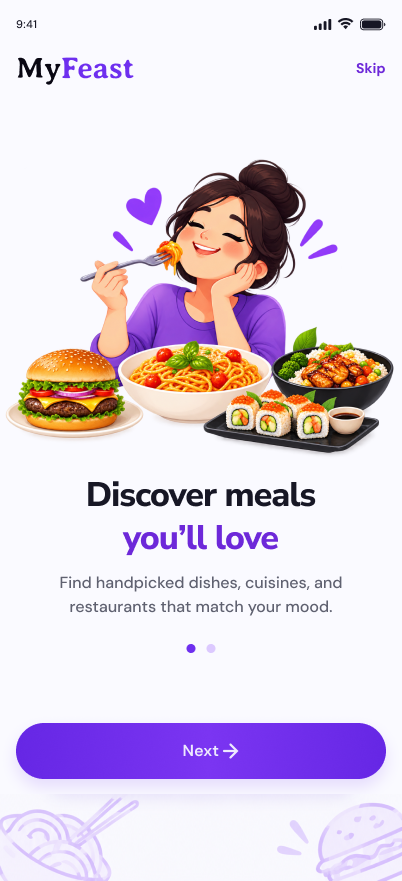
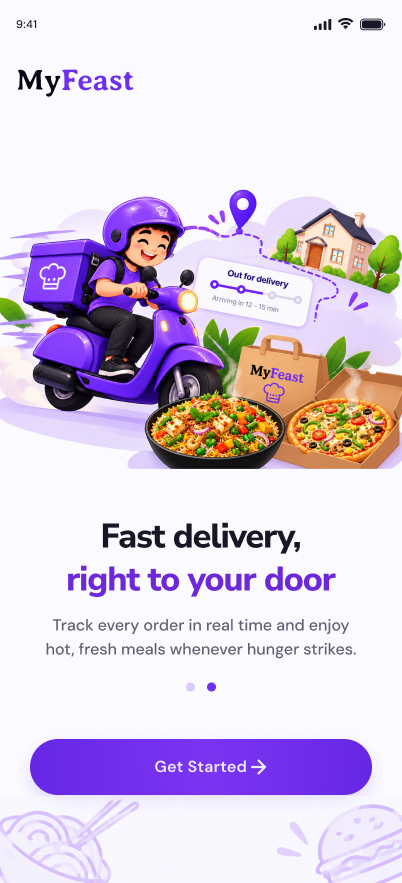
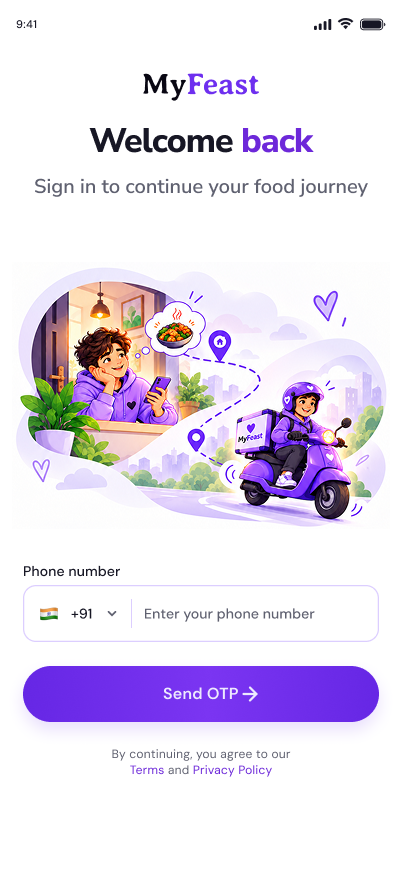
Onboarding
A welcoming splash screen, clear value proposition, and seamless authentication to get users into the app quickly.
Discover
A focused home experience and flexible food discovery help users find relevant restaurants and dishes.

Decide
Guided choices and budget-aware browsing narrow down options without removing user control.
Customize
Clear dish details, ingredient information, spice levels, and add-ons help users personalize an order.
Complete
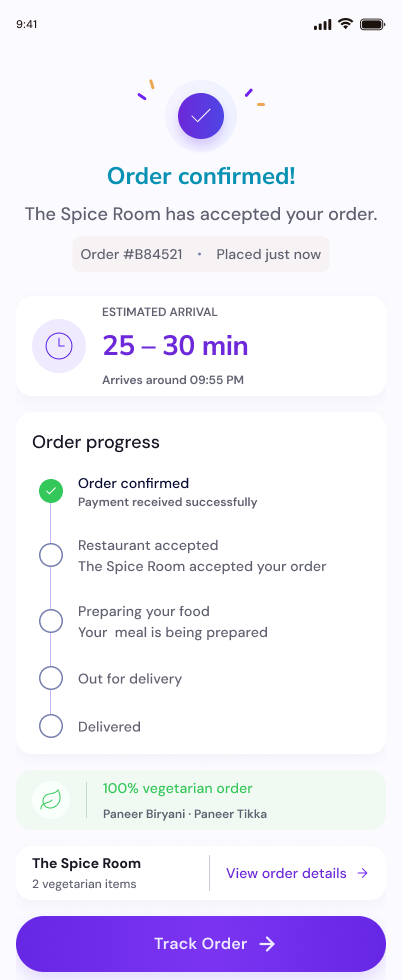
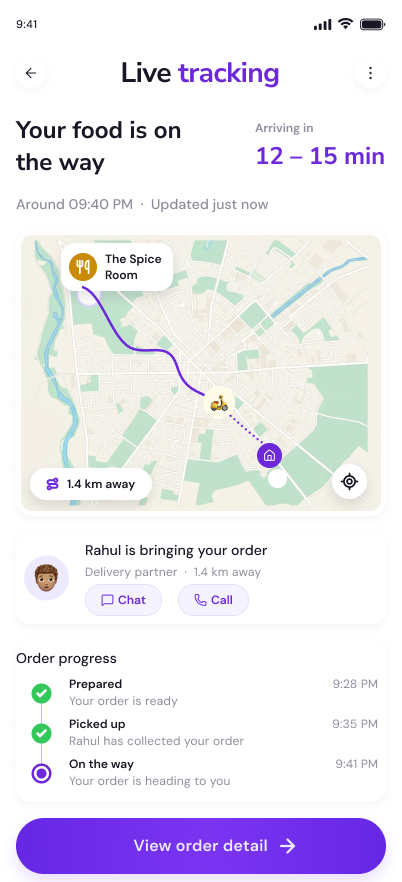
A clear checkout and order status keep users informed from cart review through delivery.
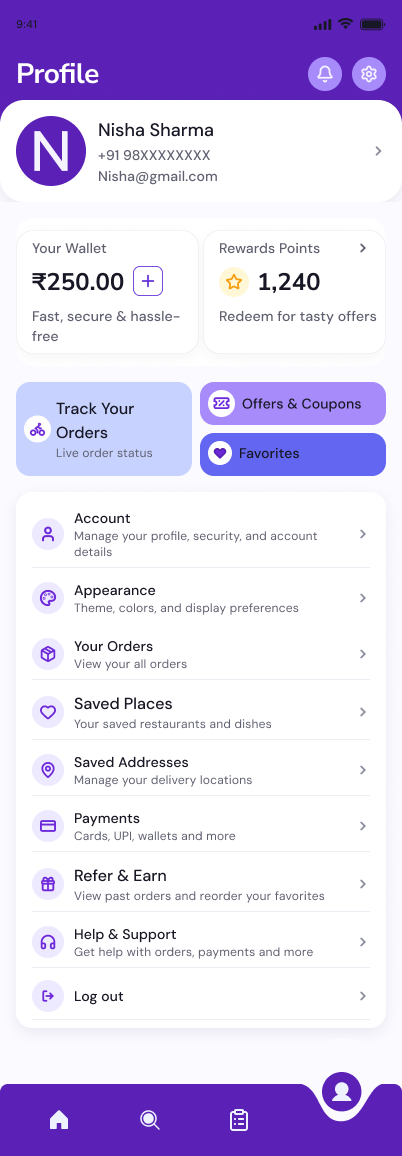
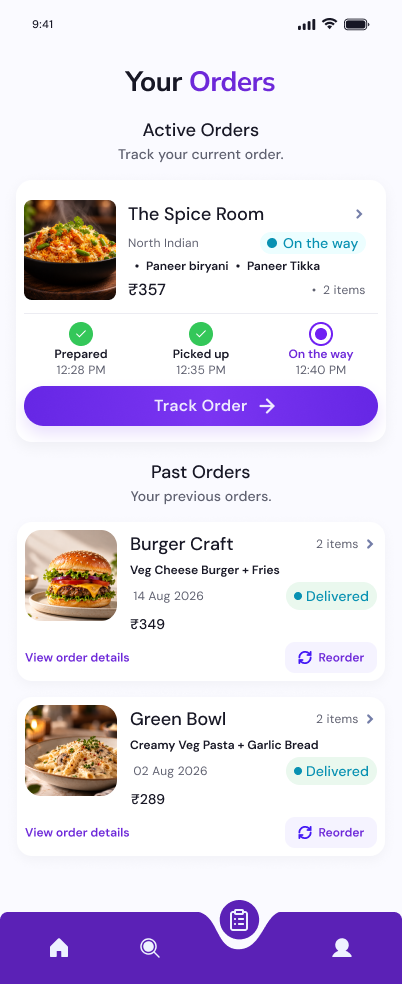
Account
Manage preferences and easily track or reorder past meals from the history tab.
Less browsing, clearer decisions
A guided selection path can complement open discovery and help users narrow down options when they feel unsure.
Budget belongs in discovery
Showing spending ranges early helps users evaluate suitable options before investing time in the ordering process.
Every step should feel connected
Consistent navigation, transparent customization, and a clear checkout flow help the experience feel coherent from discovery to delivery.